Zora language and currency: check both labels
Changing an interface language is not the same as changing an account currency. On Zora, read the selected language label and the currency beside the actual amount as separate pieces of information. A review translated into Slovak or Bulgarian also does not establish the language of every game studio or live dealer.
The public Romanian promotion view uses RON, while the English view shows EUR. Do not compare the printed numbers as if they were the same unit, and do not treat a display change as a confirmed exchange transaction. The account’s supported currency and any conversion terms require their own check.
Before a payment, compare the currency in the cashier with the currency shown by the payment provider. If conversion is offered, record the amount to be charged and the amount expected in the casino account. A larger numerical balance in another currency does not mean a larger financial value.
Language changes can also alter where a menu item appears or which game description is displayed. After switching, reopen the selected offer and verify its campaign name. A saved screenshot in another language can help identify the page, but it should not override the rules attached to the currently selected offer.
Treat the language switch as a navigation change
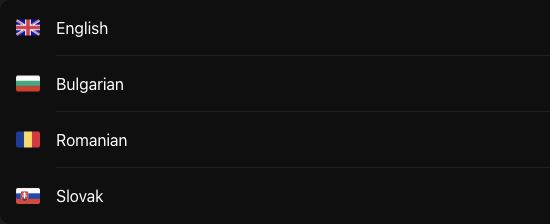
The observed public language selector offers English, Bulgarian, Romanian and Slovak. That confirms interface choices seen during the review, not the language of every studio’s embedded game. A roulette table can have its own presentation language, and a game’s help may use another language. Check the label on the actual content you intend to read.
After switching, make sure the destination remains the same product and title. A translated category label can resemble another route without representing the same campaign. Preserve the offer name or game identifier when comparing views. The useful question is whether you have reached the equivalent item, not whether the page now contains familiar words.
Compare currency values through units, not headline size
The public slots offer is presented with a €3,000 cap in the English view and 15,000 RON in the Romanian view. These are locale-specific promotional presentations, not an instruction to convert one using an assumed live exchange rate. Neither display proves which currency a registered account will use or how an individual payment will be converted.
For an illustrative amount, 120 units in currency A and 500 in currency B cannot be ranked without the applicable conversion and costs. The larger printed number is not enough. The cashier, payment confirmation and destination record each need their currency retained. Removing the unit from a screenshot makes a later comparison much harder to interpret.
Resolve mismatched labels before a financial action
If the product page uses one currency while the cashier asks for another, pause at the confirmation stage. Read what amount will be charged, what amount will be credited and who provides any conversion. A browser translation can translate a label, but it does not convert the underlying balance or establish an exchange rate.
When asking for help, identify the two screens and their exact units. Do not describe a numerical difference as missing money until the operation has been matched. For a game, recheck its selected stake after a mode or language change; a familiar position of the control is not evidence of an unchanged setting. Language is an access preference, while currency is part of the financial instruction.