Recovering Zora access without confusing account records
A failed login does not identify its own cause. The problem may concern the entered identifier, the password, a verification step or the connection. Read the visible error and check the destination before repeating attempts. Do not follow an unsolicited message that asks you to send account credentials to a reviewer.
Use the operator’s available recovery route for the contact already attached to the account. If a recovery message is delayed, check the address or number entered and the relevant message folders. Requesting many codes can make it unclear which message belongs to the latest attempt; follow the instructions attached to the active recovery flow.
A recovered login does not automatically resolve another account issue. Missing funds, a bonus dispute and verification requirements still need their own records. After access returns, review transaction and reward status instead of assuming that a refreshed balance confirms every pending operation.
If support is needed, describe the stage where access stops and the wording of the error without sharing the password or one-time code. This gives Zora a useful starting point while keeping authentication information out of an ordinary support narrative.
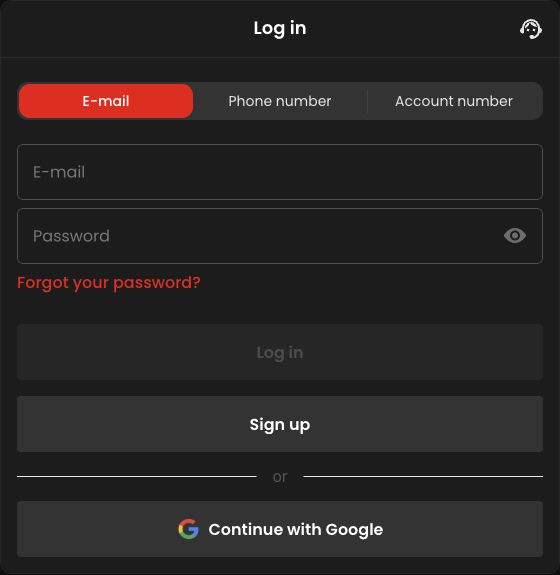
Identify where access stops before choosing a remedy
A rejected identifier, a rejected password and an unfinished verification step lead to different next actions. Write down the visible stage and exact message. If the page itself does not load, the issue may be access to the interface rather than a decision about the credentials. Repeatedly changing the password will not necessarily explain that distinction.
Check that the operator destination is the one you intended before entering anything. A familiar logo in a message is not enough. Start the recovery route from the known site rather than an unsolicited link that claims to repair the account. No review page needs your password or one-time login code to explain the process.
Keep one recovery attempt identifiable
If several recovery messages arrive, match each to its request time and follow the active flow’s instructions. An older code or link can be confused with the latest attempt. Do not assume that every message remains interchangeable. A useful personal note records the contact route used and the stage reached, without storing the authentication secret itself.
If you no longer control the original contact method, ask through the operator’s designated support process how account ownership can be established. Creating another account does not recover the first record. Nor does changing an unrelated browser field prove ownership. The required evidence and any permitted contact change belong to the operator’s account process.
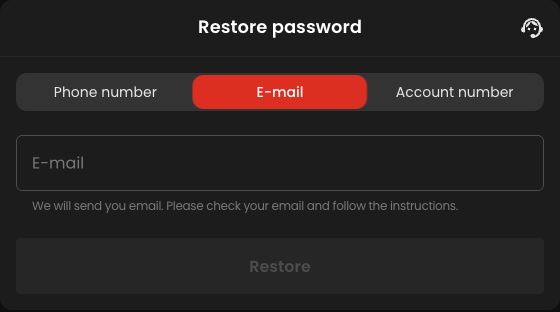
After recovery, reopen the task that was interrupted
Successful login is the end of the access problem, but it is only the start of checking an interrupted payment, round or offer activation. Go to the relevant record and identify the original operation. A refreshed total balance is not a substitute for that record, especially if more than one action happened before access failed.
For a support follow-up, separate two statements: access now works, and the specific operation still needs clarification. This prevents a closed login case from being mistaken for resolution of the financial question. Retain the original reference and do not recreate an unconfirmed action just because the interface is available again. The correct continuation is determined by saved state, not by the appearance of a fresh page.