Before Zora registration: prepare consistent account details
Registration is easier to review when the details entered can later be matched to the account holder. Use accurate information and a contact channel you control. Do not create a second account merely because an earlier registration or login seems unsuccessful; first establish whether an account already exists.
Check the displayed country, currency and contact choices before submitting the form. Availability can depend on the operator’s rules, and the language of a promotional page is not evidence of eligibility. Read the applicable conditions rather than interpret a visible registration button as approval for every visitor.
Keep the welcome-offer choice separate from the identity details. If a campaign is selected during registration, record its name before the first qualifying payment. A later promotional banner may show another category without changing the choice already stored in the account.
Only submit documents through Zora’s designated verification process if requested. A reviewer cannot open the account on your behalf or approve its documents. After registration, confirm that the contact address and chosen offer appear correctly before treating the process as complete.
Separate eligibility, identity and promotion selection
These are three different decisions within the route to a new account. Eligibility concerns whether the operator’s current rules permit the person and location to participate. Identity concerns accurate details belonging to that person. Promotion selection concerns a separate optional package. Completing a field in one area does not prove that the other two are resolved.
The public welcome Help describes choosing one of four packages, with a separate activation process. Therefore, a visible slots headline should not be interpreted as an automatic award attached to every new registration. Read the selected category before proceeding, and keep any later activation or deposit step distinct from submitting the identity form.
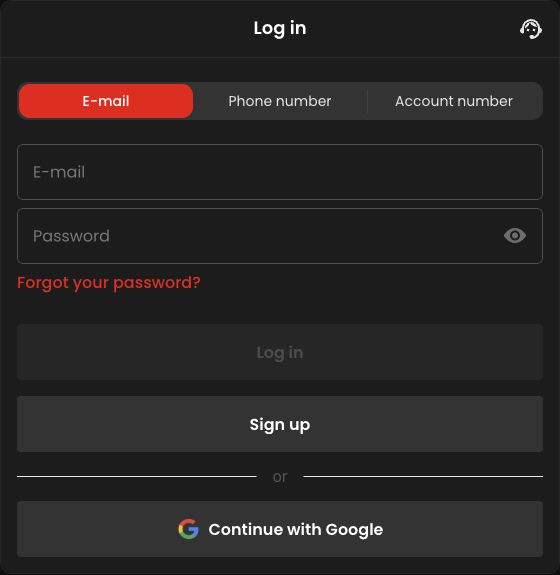
Review fields that are easy to confuse on a phone
Check whether a field asks for a login identifier, contact address or personal name. Similar-looking fields serve different purposes. Autocomplete can insert an old address or another person’s information, so read the completed form rather than assuming saved browser data is current. A selected country label also deserves review before submission.
Use a contact route you can continue to access. A successful registration screen does not solve future recovery if the chosen inbox or number is unavailable. This is a preparation check, not a claim about every field in Zora’s current form. Follow the actual labels and avoid making a second account merely to correct an uncertainty about the first.
Know the difference between submission and confirmation
After submitting, look for the outcome the page actually reports. It may identify an existing account, request another step or confirm the new record. Read that state before repeating the form. Repetition can create confusion about which email or attempt you are trying to recover, even when no new account was created.
If the process stalls, retain the stage and wording without copying a password into a support note. Ask whether the account already exists and what the authorised next step is. The goal is one consistent account record. A reviewer cannot resolve ownership or approve eligibility by editing the information in an article, and a visible registration button is not that approval.
Make the first account review a separate checkpoint
Once access is available, check the displayed contact details and selected promotional state before any optional payment. Zora’s published activation Help tells users to complete personal details, open Promo and activate an offer before depositing; it says a deposit without manual activation does not automatically credit the offer. This is published procedural guidance, not a report of a test account we created.
If the account shows a different package than intended, resolve the selection first. Do not assume a new click on a public promotional banner overrides an existing choice. This checkpoint separates correcting information from spending money and makes the eventual account state easier to understand.